Signals
 Data
Data ICP & Lookalike Modeling
 Advertising
A quick AI-generated overview extracted directly from the content of this page.
Email remains a dominant communication channel for marketers and sales teams. However, the quality of your email list can make or break your campaigns. Verified emails – those that have been confirmed as accurate and active – are essential for effective marketing, sales outreach, and, ultimately, revenue generation.
Why Should You Use Verified Emails?
Verified emails ensure your messages reach real, active inboxes, increasing the chances of engagement and campaign success. Whether you’re running marketing campaigns or personalized sales outreach, using verified email addresses directly improves open rates, response rates, and overall performance. Without verification, you risk sending to outdated or non-existent addresses, turning your outreach into a costly guessing game.
What Are the Risks of Using Unverified Email Lists?
Using unverified email lists can seriously damage your marketing performance and sender reputation. Invalid or inactive addresses lead to high bounce rates, which signal email service providers to flag your domain as suspicious, pushing your emails straight into spam folders or getting you blacklisted entirely. Beyond deliverability issues, unverified lists drain your marketing resources by wasting time and money on leads that may never exist, ultimately limiting your ability to hit revenue goals.
Further, this article will help you understand how to effectively buy email lists with only verified emails, ensuring high-quality data that drives better results in marketing and sales. Whether you’re looking to expand your outreach or improve conversions, this guide covers key aspects of purchasing and using email lists for business success.
- Data Quality Is Key In Email List
- Should You Build Or Buy Email List for Marketing?
- Higher the Bounce Rate Hurts Your Brand
- Find the CEO’s Email, CEO’s Phone Number
- Find Anyone’s Business Email Address
- Build a High Conversion Email List
- Expand Your Email Marketing List
- From Bounces to Wins: OppGen’s Journey to Precise Targeting
Email List Provider Comparison
No two list vendors operate the same way. Here is how the major categories break down, with key differentiators to evaluate during vendor selection.
What to compare when evaluating email list providers:
| Provider | Data Type | Verification Method | Compliance Coverage | CASS/NCOA Certified | Best For |
|---|---|---|---|---|---|
| SalesIntel | B2B contacts, direct dials, firmographics, intent | Human – verified + AI | GDPR, CCPA, CAN – SPAM | Yes | Full – funnel B2B prospecting with buying signal context |
| ZoomInfo | B2B contacts, technographics | Automated + some human | GDPR, CCPA | Partial | Enterprise teams with large TAM |
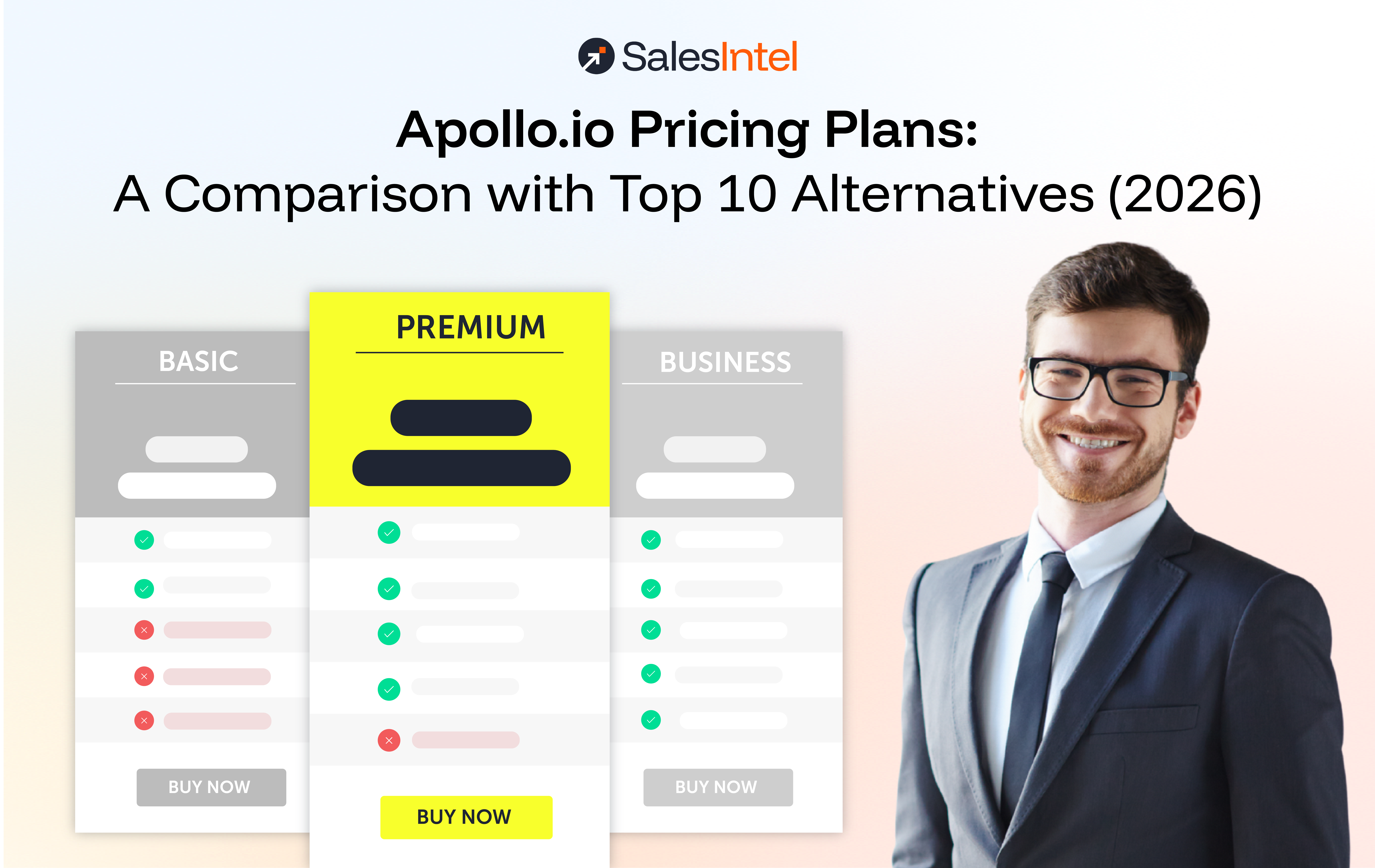
| Apollo.io | B2B contacts, sequences | Automated | CAN – SPAM, CCPA | No | SMB/mid – market volume prospecting |
| Cognism | B2B contacts, mobile | Human – verified (phone) | GDPR – first, CCPA | Partial | European – focused outreach |
| Hunter.io | Domain – based email finder | Real – time syntax/domain | CAN – SPAM | No | Individual email lookup and verification |
| UpLead | B2B contacts | Real – time verification | GDPR, CCPA, CAN – SPAM | No | SMB teams with self – serve needs |
Key differentiators to press vendors on:
- Verification recency: How often is each contact re – verified? Monthly re – verification is the standard for high – quality providers. Lists that are verified once on acquisition and never refreshed decay at roughly 2–3% per month.
- Human verification vs. automated – only: Automated verification catches syntax errors and bounced servers. Human verification confirms the person actually holds that role at that company. For direct dials and decision – maker outreach, human verification is the meaningful differentiator.
- Intent data integration: Can the provider layer buying signals onto the contact data, so you are not just targeting by firmographic fit but by active in – market behavior? SalesIntel integrates Bombora intent data and proprietary Tech Add Signal to surface contacts at accounts showing purchase readiness.
- Segmentation depth: Can you filter by technographics (current tech stack), job function, seniority level, company size, and industry simultaneously? The tighter your ICP, the more important this becomes.
CASS and NCOA certification (US – focused teams): Discussed in detail below.
CASS and NCOA Certification – A Differentiator US Teams Should Ask About
Most B2B teams focused on email outreach overlook postal data certification, but for US – focused prospecting, it is a meaningful signal of data quality.
CASS (Coding Accuracy Support System) is a USPS certification program that standardizes and validates US postal addresses. A provider with CASS – certified processing confirms that the physical addresses in their database have been validated against the official USPS address database. This matters in the context of email lists because:
- CAN – SPAM requires a valid physical postal address in every commercial email. A CASS – validated address is the cleanest way to meet that requirement.
- Physical address accuracy is a proxy for overall data quality. A provider that maintains certified postal records typically applies the same rigor to email and phone verification.
NCOA (National Change of Address) is a USPS – licensed database that tracks address changes filed by individuals and businesses. Providers that run their records through NCOA processing can identify contacts who have moved – which, in B2B prospecting, often corresponds to a job change. Catching job changes before you send keeps your data fresher and reduces the likelihood of emailing someone at a company they left six months ago.
When evaluating list providers for US – focused outreach, ask directly: “Is your address data CASS – certified and do you run NCOA processing?” Providers that invest in postal data infrastructure tend to have higher overall data quality across all contact fields.
1. Why Does Data Quality Matter When You Buy an Email List?
When you buy an email list, the quality of the data determines the success of your campaigns. Outdated, inaccurate, or inactive email addresses mean your messages never reach the intended recipients, wasting your marketing budget and hurting your sender reputation. High-quality, verified data, on the other hand, ensures your emails land in the right inboxes, maximizing engagement, improving conversion rates, and delivering a stronger return on investment.
What Makes an Email “Verified”?
A verified email means that the email address has been checked and confirmed as valid and active. Various verification methods are used to ensure email quality, including:
- Syntax Checks: These identify email addresses that are incorrectly formatted or contain invalid characters.
- Domain Verification: This process checks whether the domain (e.g., gmail.com or companyname.com) exists and is currently active.
- Mailbox Verification: This ensures the email inbox is active and able to receive messages, confirming the address is in use.
- User Activity Checks: Some advanced email verification tools can even track user activity to verify that the address belongs to a real person who has engaged recently.
Without these verification steps, there’s a higher likelihood of including invalid addresses in your email list, resulting in higher bounce rates, lower engagement, and negative consequences for your marketing efforts.
Consequences of Using Poor-Quality Email Lists
If you use an email list that hasn’t been properly verified, you risk serious repercussions. Poor-quality lists can result in:
- Wasted Marketing Resources:
Sending emails to invalid or inactive addresses wastes both time and money. You could be spending valuable resources on campaigns that never reach the intended audience.
- Spam Complaints:
When users receive irrelevant or unsolicited emails, they are more likely to mark them as spam. A high number of spam complaints can hurt your sender reputation and reduce deliverability.
- Inaccurate Targeting:
Low-quality lists often contain outdated data, meaning you’re sending your emails to people who may no longer be interested in your offerings. This results in poor targeting and lower conversion rates.
2. Should You Build or Buy Email List for Marketing?
The decision to build or buy an email list depends on your business goals, resources, and timeline. Both approaches have their own advantages and challenges, so it’s important to understand the pros and cons of each.
Building Your Own Email List
Building your own email list involves collecting email addresses directly from potential customers through various lead generation efforts, such as:
- Website sign-ups
- Content downloads (e.g., ebooks or whitepapers)
- Webinars and events
- Social media engagement
Pros of Building Your Email List
- Control Over Lead Generation: Building your list gives you complete control over who joins, ensuring the contacts are highly relevant and interested in your brand.
- High Engagement Rates: Since your audience opted in to receive communications from you, they’re more likely to engage with your content and convert.
- Compliant with Regulations: Self-built lists are more likely to comply with email marketing regulations, as the contacts have voluntarily provided their information.
Cons of Building Your Email List
- Slow Growth: Building a list organically takes time, making it less ideal for businesses that need immediate access to leads.
- Resource-Intensive: Collecting and nurturing leads requires continuous effort, from creating content and landing pages to running promotional campaigns.
Buy Email List
Buying an email list provides quick access to a large number of pre-verified email addresses, allowing you to jumpstart your marketing efforts.
Pros of Buying an Email List
- Speed and Volume: Purchasing a list allows you to acquire thousands of contacts instantly, giving you a head start in your outreach.
- Access to Pre-Verified Contacts: Quality email list providers offer lists with verified, up-to-date email addresses, saving you the time and effort of manually verifying each one.
Cons of Buying an Email List
- List Fatigue: Purchased lists may contain contacts that have already been marketed to by other companies, reducing the likelihood of engagement.
- Data Inaccuracies: Some email list providers may not update their lists frequently, leading to inaccurate or outdated information that harms your campaigns.
When to Build vs. Buy Email List
Here’s a guideline to help you decide when to build or buy email list:
- Build Your List if you have the resources and time to grow it organically. This is ideal for businesses that want to engage a highly-targeted audience over the long term.
- Buy an Email List if you need quick access to leads or if you’re entering a new market and don’t have an existing audience. This can be especially useful for time-sensitive campaigns or when scaling your sales efforts rapidly.

3. How Does a High Bounce Rate Hurt Your Brand?
A high email bounce rate does more damage than just undelivered messages — it directly threatens your brand’s reputation and long-term marketing performance. When emails frequently bounce, email service providers begin flagging your domain as suspicious, pushing future emails into spam folders or blacklisting your domain entirely. Over time, this erodes customer trust, wastes valuable marketing resources, and significantly reduces the effectiveness of your campaigns, making it harder to reach even genuinely interested prospects.
Additionally, a high bounce rate reflects poorly on your email list hygiene and data quality. This leads to wasted marketing resources—time, money, and effort spent on sending emails to non-existent addresses, which yields no return on investment. Moreover, consistent bounces can lead to low engagement rates, as undelivered emails fail to generate opens, clicks, or conversions, thereby diluting the effectiveness of your campaigns.
Beyond technical issues, a poor sender reputation can also erode customer trust. If legitimate customers start seeing your emails land in their spam folders, they might perceive your brand as unreliable or unprofessional. This can lead to long-term damage to your relationship with prospects, especially in competitive industries where trust is key.
To prevent such issues, it’s crucial to maintain a clean email list with verified, high-quality contacts. Using email verification tools and frequently updating your lists will help reduce bounce rates, protect your sender reputation, and improve your campaign performance.
For a deeper dive into how email bounces can hurt your sales and marketing efforts, download our free eBook, which covers best practices and strategies for maintaining a clean, high-performing email list.

The Real Cost of a Bad Email List – Bounce Rate Math
Most teams understand that high bounce rates hurt deliverability. Few have done the math on what it actually costs.
A concrete example:
Assume your team sends 10,000 emails per month at an average cost of $0.01 per email (ESP fees, enrichment, rep time, and sequence tooling combined). You are using a purchased list with 15% invalid or outdated addresses – not unusual for lists that have not been re – verified in the past 12 months.
- 1,500 hard bounces per month: those sends cost you money and return nothing.
- Sender reputation damage: Gmail’s Postmaster Tools will flag your domain once bounce rates exceed acceptable thresholds. Deliverability drops across your entire sending domain, including to contacts on your clean, organic list. You are now paying for a problem that extends beyond the bad contacts themselves.
- Re – warming cost: Recovering a damaged sender domain typically requires weeks of low – volume, high – engagement sending before normal deliverability is restored. That is pipeline you cannot pursue during the recovery window.
- Rough dollar estimate: For a team generating $5,000 in average contract value (ACV) per closed deal, and assuming a 1% connect rate from cold email, those 1,500 wasted sends represent roughly 15 missed conversations. At a 20% close rate, that is 3 lost opportunities per month, or $15,000 in potential pipeline, from one month of bad list data.
The math changes based on your ACV and sequence efficiency, but the direction is consistent: a bad list does not just waste the cost of the send. It degrades the channel itself.
The verification ROI flip: Investing in email verification before sending can cost $0.001 to $0.005 per address depending on provider, or roughly $10–50 per 10,000 contacts. Against the downstream cost of bounce – related deliverability damage, email verification is one of the highest – return infrastructure investments an outbound team can make. Industry data puts the ROI of verification services in the 10x to 20x range when factoring in the combined impact of blacklisting prevention, metric improvement, and ESP cost savings on dead contacts.
4. Find the CEO’s Email, CEO’s Phone Number
Finding the CEO’s email and phone number can be a game-changer for sales and marketing professionals looking to connect directly with decision-makers. Accessing such high-level contact information can significantly shorten the sales cycle and lead to more personalized, meaningful engagements.
There are several ways to track down a CEO’s email and phone number. Tools like Hunter.io, SalesIntel, and Apollo.io offer databases with verified business contacts, including C-suite executives. These platforms use advanced algorithms to ensure data accuracy, helping you reach the right people without wasting time on dead-end leads. Additionally, you can leverage LinkedIn and other professional networks to find email patterns (e.g., first.last@domain.com), which you can then verify using email verification tools.
However, it’s essential to handle this information with care. Cold outreach to CEOs should be tailored, relevant, and respectful of their time. A well-crafted message that addresses their business needs will go a long way in securing their attention and engagement.
For more in-depth strategies and tools to find a CEO’s contact information, check out our detailed blog, where we walk you through each method step-by-step. It includes actionable tips and advanced techniques to make sure your outreach efforts are both effective and compliant.
Read About – How to Find CEO Emails and CEO Phone Number
5. Find Anyone’s Business Email Address: Techniques for Sales and Marketing Teams
Finding verified business email addresses is crucial for any sales and marketing strategy focused on reaching the right prospects efficiently. There are multiple techniques available to help sales teams identify and verify business emails, ensuring higher deliverability and engagement rates.
One of the most popular methods is using email finder tools such as Hunter.io, RevDriver, and SalesIntel. These platforms enable users to search for emails based on company domains or specific names. They include integrated verification processes to ensure that the emails are valid and active, reducing the likelihood of bounces and enhancing outreach success.
For teams that prioritize real-time data accuracy, using tools with real-time verification features is a solid option. Solutions like SalesIntel offer advanced email validation by checking emails against active servers and verifying the reachability of inboxes, ensuring only valid contacts are added to your list.
Additionally, you can manually verify business email formats using standard naming conventions (e.g., first.last@company.com . Pairing these conventions with research from platforms like LinkedIn allows sales teams to identify decision-makers and reach out effectively.
Advanced B2B platforms go beyond just email addresses, offering insights into firmographics and intent data, making it easier for your team to target the right person at the right time.
For a deeper dive into these techniques and tools, read our detailed blog on how to find verified business emails. It covers additional strategies and tips to optimize your lead generation efforts.
6. How Do You Build a High-Conversion Email List?
Building a high-conversion email list goes beyond simply collecting email addresses — it requires strategic segmentation, personalization, and clean data management. Grouping contacts based on firmographics, intent data, and past behaviors allows you to deliver relevant messaging that resonates with your audience and drives meaningful engagement. Whether building organically or using a purchased list, ensuring your data is verified and integrating it with CRM tools for automated tracking and follow-ups will significantly improve your conversion rates and overall campaign performance.
Another critical factor is personalization. Crafting tailored email campaigns for each segment helps address your audience’s specific needs and challenges, leading to higher open rates and better overall campaign performance. Personalization allows you to speak directly to recipients, driving meaningful interactions and improved conversion outcomes.
If you’re using purchased email lists, it’s vital to ensure they consist of clean, verified data. Clean email lists reduce the risk of high bounce rates, while verified data ensures your messages reach the right recipients. To enhance your process, integrate the list with CRM tools, enabling automated tracking, lead scoring, and timely follow-ups, which further streamline your sales funnel and improve overall conversion rates.
Finally, implement best practices when managing purchased lists, such as gradually warming up email addresses and nurturing leads over time. Proper list management, combined with segmentation and personalization, will significantly increase your chances of success.
For a more detailed exploration of these strategies, check out our comprehensive blog on how to build a high-conversion email list.
7. How Can You Expand Your Email Marketing List the Right Way?
Expanding your email marketing list effectively requires balancing speed with quality to ensure sustainable growth. Partnering with reliable email list providers that offer verified, intent-based data helps you add relevant, engaged contacts without risking high bounce rates or spam complaints. Combining purchased lists with organic strategies like lead magnets, social media campaigns, and content marketing further strengthens your list, while regular data hygiene practices keep it accurate, deliverable, and primed for long-term marketing success.
In addition to purchasing lists, you can also employ organic growth strategies like lead magnets (offering valuable content in exchange for email addresses), social media campaigns, and content marketing. These methods not only help you attract new subscribers but also ensure that your growing list consists of engaged individuals, increasing long-term success.
It’s also crucial to maintain clean data hygiene. Use tools to verify new leads, remove duplicates, and monitor ongoing list health. This ensures that your email list remains accurate, reducing deliverability issues and keeping your sender reputation intact.
For example, adding high-quality, verified contacts can significantly improve open rates, increase engagement, and lead to a higher ROI for your email marketing efforts. By following best practices for data hygiene and strategic list-building, you’ll expand your list in a way that drives sustainable business growth.
For more detailed insights on expanding your email marketing list the right way, read our comprehensive blog on list-building strategies and best practices.
2026 Deliverability Rules – What Gmail, Yahoo, and Microsoft Now Require
This is the most consequential change to email outreach since GDPR, and it is completely absent from the current post. Every rep and marketer sending purchased or prospected lists needs to understand these rules before their first send.
Starting in February 2024, Google and Yahoo introduced mandatory authentication requirements for bulk senders. Microsoft followed with full enforcement in May 2025. As of 2026, these rules are no longer optional guidelines – non – compliant emails are rejected outright at the server level, before they ever reach a spam folder.
Who these rules apply to: Any domain that sends 5,000 or more emails per day to personal Gmail, Yahoo, or Outlook/Hotmail/Live addresses. One important nuance: once your domain crosses that 5,000 – message threshold even once, Google permanently classifies it as a bulk sender. Reducing volume later does not reverse the classification. B2B senders sending exclusively to corporate Google Workspace addresses have an exemption, but most outbound lists include a mix of personal and business accounts.
The three technical requirements every bulk sender must meet:
- SPF, DKIM, and DMARC authentication. All three must be configured and passing. A technically correct SPF or DKIM record that does not align with the “From:” domain will still fail DMARC, triggering rejection codes. Gmail returns a 421 – 4.7.32 error; Microsoft returns a hard 550 5.7.515 error. In 2026, industry best practice is a DMARC policy of p=quarantine as the minimum, with p=reject as the target.
- Spam complaint rate below 0.10%. Gmail’s Postmaster Tools tracks this in real time. Anything above 0.10% deserves immediate attention. Above 0.30% puts your domain in active enforcement territory – expect delivery failures on a growing percentage of traffic. This threshold is exactly why purchased lists built from cold, unverified contacts are so dangerous: contacts who never opted in are far more likely to hit “Report Spam” than to unsubscribe.
- One – click unsubscribe (RFC 8058) on all marketing emails. A footer link is not sufficient. The requirement is a List – Unsubscribe header that allows Gmail and Yahoo to surface a native “Unsubscribe” button at the top of the email interface. When a recipient clicks it, the inbox provider sends a POST request to remove them automatically, without requiring any additional steps. Transactional messages (password resets, receipts, shipping confirmations) are exempt – this requirement covers promotional and marketing content only. Unsubscribe requests must be honored within 48 hours.
What happens when you fail:
- Gmail: permanent 5xx rejections as of November 2025. Messages do not retry. They bounce.
- Microsoft: immediate 550 5.7.515 rejection. No junk folder routing, no retry window.
- Yahoo: equivalent enforcement mirroring Gmail’s standards.
The connection to list quality: These rules do not just affect your tech stack – they directly shape what kind of list data is acceptable for outreach. A purchased list with 10–15% invalid or stale addresses will push your bounce rate well above safe thresholds and generate spam complaints from contacts who do not recognize your brand. Compliant senders averaging verified, permission – appropriate contacts see inbox placement rates around 89%. Non – compliant senders route 22–34% of their volume to spam or see outright rejection.
The practical takeaway for B2B teams: Verify your technical setup before any list – based send. Use a tool like Google Postmaster Tools or a third – party DMARC checker to confirm SPF, DKIM, and DMARC are all passing with alignment. Then apply the Safe Rollout Checklist below before sending to any cold or purchased segment.
Legal Compliance – CAN – SPAM (US Law)
The post already covers GDPR and CCPA. Here is the US federal law that governs commercial email and is conspicuously absent from the current version.
CAN – SPAM: The US Federal Standard for Commercial Email
The Controlling the Assault of Non – Solicited Pornography and Marketing Act (CAN – SPAM Act) is the primary US federal law governing commercial email. Passed in 2003 and enforced by the Federal Trade Commission (FTC), it applies to every commercial email message, including B2B outreach. There is no size threshold and no exemption for small senders. A message to a former customer promoting a new product must comply.
Unlike GDPR, CAN – SPAM does not require opt – in consent before sending. It is an opt – out law, meaning you can send commercial email to a contact who has not explicitly opted in, as long as you comply with all requirements and stop sending when they ask you to.
What CAN – SPAM requires:
- Accurate “From” information. The sender name, email address, and domain in the header must truthfully represent who is sending the message. Using a fake domain or misleading sender identity is prohibited.
- Honest subject lines. Subject lines must accurately reflect the content of the email. Implying a prior relationship that does not exist is a violation.
- Ad identification. The message must be clearly identified as an advertisement, unless the recipient has already given express consent to receive your emails.
- Physical postal address. Every commercial email must include your current street address, a USPS – registered PO box, or a commercial mail receiving agency address.
- Working opt – out mechanism. You must include a clear, easy – to – find way for recipients to opt out. The unsubscribe link must remain functional for at least 30 days after the send. You cannot require a login or more than one page click to complete the unsubscribe.
- Honor opt – outs within 10 business days. Once someone opts out, you have 10 business days to stop sending them commercial messages. The request must automatically sync across platforms.
- Third – party liability. Even if you hire another company to send email on your behalf, you cannot contract away your CAN – SPAM responsibility. Both the brand being promoted and the company doing the sending can be held liable.
Penalties: Each separate email that violates CAN – SPAM is subject to civil fines up to approximately $51,744 (2025 FTC – adjusted figure). There is no cap on total fines, meaning a single non – compliant campaign sent to thousands of addresses carries significant exposure. Aggravated violations – such as using false registration information or accessing other computers to send spam – can result in criminal penalties.
CAN – SPAM vs. GDPR: Key difference for US B2B teams. GDPR requires prior consent (opt – in) before sending to contacts in the EU and treats cold commercial email as presumptively non – compliant without a legitimate interest basis. CAN – SPAM permits sending without prior consent as long as recipients can opt out. This distinction matters when evaluating purchased lists: a list that is technically CAN – SPAM – compliant for US sends may still expose you to GDPR liability if it contains EU contacts.
FAQs
What is the average ROI from using purchased email lists?
The average ROI from purchased email lists is typically very low or even negative due to poor data quality and engagement issues. High bounce rates, low open rates, and spam complaints damage your sender reputation and waste resources. SalesIntel’s verified, compliant contact data delivers superior ROI through targeted outreach that actually reaches engaged prospects.
Why do email marketing platforms prohibit purchased lists?
Email platforms like Mailchimp and HubSpot ban purchased lists because they contain outdated contacts and people who never opted in, leading to high bounce rates and spam complaints. These issues hurt deliverability for all platform users and create legal compliance risks. Platforms enforce these rules to protect service quality and keep users out of regulatory trouble.
Can you buy email lists?
Yes, you can buy email lists from data brokers and lead generation companies, but it comes with major drawbacks. Purchased lists typically have low accuracy, poor engagement, and compliance issues with GDPR and CAN-SPAM regulations. SalesIntel offers a smarter alternative – verified, dynamically updated B2B contact data that outperforms traditional bought lists.
Is buying email lists legal?
Buying email lists is technically legal, but using them often violates data privacy laws. Sending unsolicited emails to purchased contacts without consent breaks GDPR, CCPA, and CAN-SPAM regulations, exposing you to hefty fines and reputation damage. SalesIntel emphasizes ethical data sourcing and compliance, ensuring your outreach is both legal and effective.
What should I consider when choosing an email list provider?
Prioritize data accuracy, regulatory compliance, and contact relevance when selecting an email list provider. Evaluate their data sourcing methods, verification processes, and how frequently they update records. SalesIntel offers granular segmentation, human-verified data, and transparent compliance standards to ensure your outreach is both effective and ethical.
What are alternatives to buying email lists?
Instead of buying lists, focus on building organic, permission-based databases through content marketing, SEO, social media engagement, webinars, and website lead capture. B2B intelligence platforms like SalesIntel provide verified contact data without the risks of traditional purchased lists. These approaches deliver higher-quality leads and ensure compliance with data privacy regulations.
Which email list providers are GDPR compliant?
GDPR-compliant providers obtain proper consent, ensure data accuracy, and maintain transparent processing practices to protect EU citizens’ privacy. While many claim compliance, verify their methods carefully, non-compliance can result in severe penalties. SalesIntel prioritizes data privacy and continuously updates practices to align with GDPR and other global regulations.
What are specific tools or services for email list verification?
Email verification tools like Hunter.io, ZeroBounce, and NeverBounce check email validity and deliverability to reduce bounce rates and protect sender reputation. These services identify invalid, temporary, or risky addresses before you send campaigns. SalesIntel goes a step further by providing pre-verified, high-quality contact data, minimizing the need for external verification tools.
Where can I buy email lists?
Email lists are available from B2B data providers and lead generation companies that compile contacts by industry, company size, or job role. However, traditional “bought” lists often have quality and compliance issues. SalesIntel offers a superior alternative – access to verified, compliant B2B contact data through a modern intelligence platform designed for targeted, effective outreach.