
 Signals
 Data
Data ICP & Looklike Modeling
 Human Verification
 Comprehensive Support
 Real Mobile Numbers
 Research on Demand
 Guided Transitions
 Contact Data
 Intent Data
 Company Technographics
 Company Firmographics


The Problem
Buying Signals Get Missed Because Acting on Them Is Too Manual
Revenue teams struggle to generate consistent pipeline because buying signals are often missed, and when they are detected, acting on them requires manual workflows across multiple tools, leading to slow follow-up and lost deals.
The Solution
Automated Signal Detection and Full-Funnel Activation
GTMCanvas automates signal detection and the workflows that follow. Identify in-market accounts, qualify them against ICP, build buying committees, and engage stakeholders with personalized outreach, all without writing a single line of code.
How It Works
From signal detection to automated activation
GTMCanvas turns buying signals into complete, no-code workflows that qualify, build, and engage the buying committees of your ICP accounts.
1
Step 1
CAPTURE: Detect Buying Signals & Intent Activities
Trigger workflows instantly from 30+ signal categories, intent surges, website visitors, funding events, leadership changes, champion job moves, and more. Every signal type can be a workflow trigger.
2
Step 2
QUALIFY: Validate ICP & Build Buying Committees
Automatically validate that signal-firing accounts meet your ICP criteria. Find and prioritize accounts using ICPIntel, empower reps with RepIntel intelligence, and auto-build buying committees with key stakeholder contacts.
3
Step 3
ACTIVATE: Engage with Personalized Messages
Generate signal-specific content customized for each stakeholder role. Route signal activities and contacts into your CRM, then trigger sequences, automated or handed to reps for review. Target in-market accounts with precision ads.

“A connection to us is someone who picked up the phone, had a conversation, and turned out to be exactly who the data said they were. With SalesIntel, we hit that mark again and again.”


Marketing
Focus campaigns on in-market ICP accounts.
Reduce wasted ad spend and boost conversion rates by triggering campaigns only when accounts show genuine buying behavior, not just because they match a firmographic profile.
- Launch signal-triggered ad campaigns to in-market accounts via AdsIntel
- Orchestrate multi-channel awareness when predictive signals fire (funding, new hires)
- Generate signal-specific content for each buying group stakeholder
- Coordinate ads, email, and SDR follow-up around the same engaged accounts
Sales
Get qualified accounts with signal context for fast follow-up.
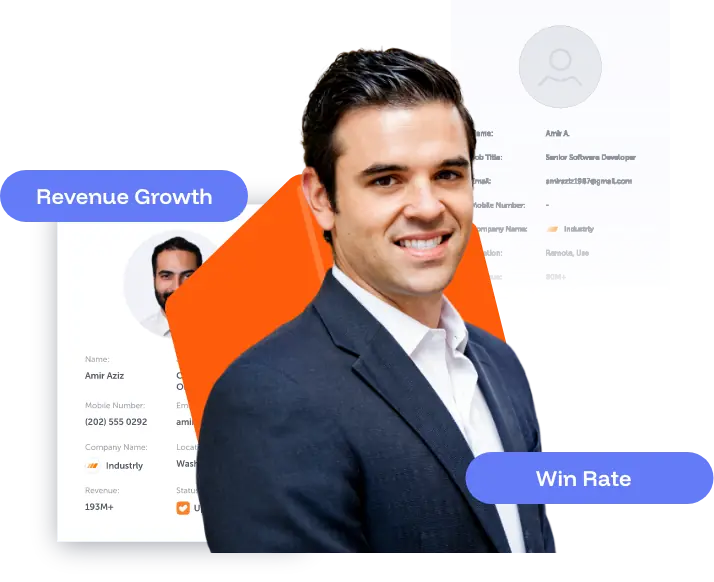
When a signal is detected on a target account, GTMCanvas qualifies the account, maps the buying committee, generates your outreach, and pushes the activities into your CRM, so you can engage with context instead of starting from scratch.
- Turn signal events into CRM activities and prioritized outreach, automated or rep-reviewed
- Run multi-signal playbooks that engage the buying group
- Respond to champion job changes instantly with warm outreach
- Stack intent + job change + website visit to identify in-market accounts

Revenue Operations
Standardized qualification and routing that scales without headcount.
Build repeatable, no-code GTM playbooks that any team member can deploy, and align marketing, sales, and RevOps on the same signal intelligence, qualification criteria, and activation channels.
- Build repeatable no-code GTM playbooks for common signal scenarios
- One visual canvas where all teams see the same signals, qualifications, and channels
- Measure workflow performance and optimize signal ROI over time
- Automate routing and task creation, push signals into CRM and alert reps
Business Impact
What changes when your GTM runs on automation


Built for Scale
Automation
Drag-and-drop workflow builder for every GTM motion
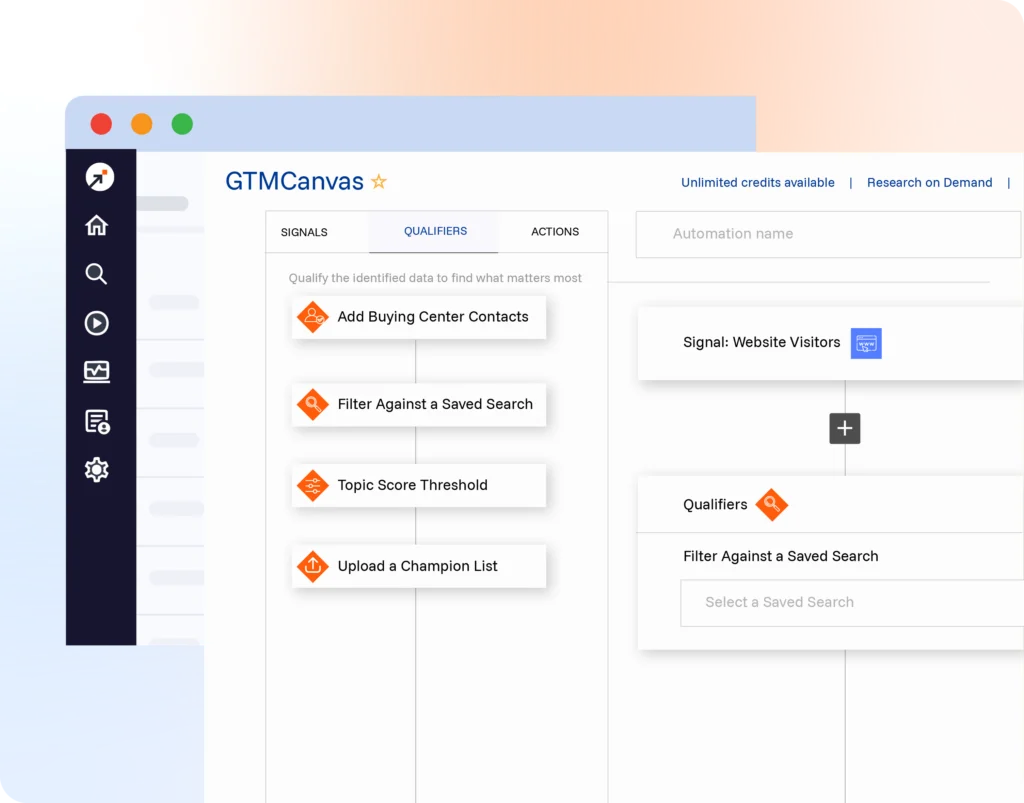
GTMCanvas’s visual canvas lets any team member build full signal-to-pipeline automation workflows. Connect signal triggers to qualification steps, buying committee building, content generation, and multi-channel outreach, all in one intuitive drag-and-drop interface.
- Trigger workflows from 30+ signal types instantly
- Connect ICPIntel qualification, RepIntel enrichment, AI content generation, and ProspectConnect sequences
- Build multi-step conditional workflows with AND/OR logic
- Deploy new GTM plays without writing a single line of code
Use Cases
Automation workflows your team can deploy in minutes
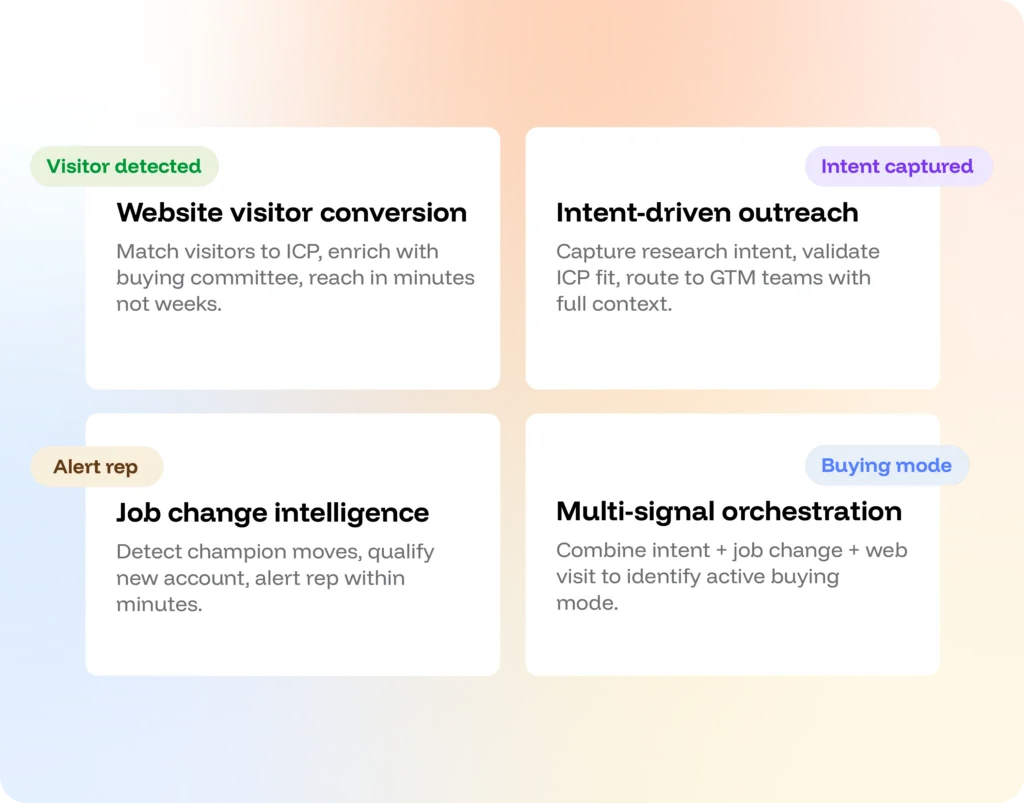
GTMCanvas allows you to build workflows for the most common signal-driven GTM plays your team can launch in minutes with a simple drag & drop interface.
- Website Visitor Conversion: Match visitors to ICP, enrich with buying committee, reach in minutes not weeks
- Intent-Driven Outreach: Capture research intent, validate ICP fit, route to GTM teams with full context
- Job Change Intelligence: Detect champion moves, qualify new account, alert rep within minutes
- Multi-Signal Orchestration: Combine intent + job change + web visit to identify active buying mode
Alignment
One canvas. All three GTM teams. Zero misalignment.
GTMCanvas is the single source of truth for your entire revenue team’s automation workflows. Marketing, sales, and RevOps see the same signals, apply the same qualification criteria, and activate through the same channels, eliminating the gaps where pipeline leaks.
- Shared visual canvas visible to marketing, sales, and RevOps
- Standardized ICP qualification applied consistently across every workflow
- Signal-to-revenue attribution tracked across all connected workflows
- One set of account priorities powering ads, sequences, and rep alerts simultaneously
INTEGRATIONS
Connects to every tool in your GTM stack
GTMCanvas workflows activate through the tools your team already uses. Signal-triggered actions flow natively into your CRM, sales engagement, ad platforms, and more, no custom development required.
- Push qualified accounts and tasks directly into Salesforce and HubSpo
- Trigger Outreach and Salesloft sequences automatically from signal events
- Feed in-market account lists to LinkedIn Ads and AdsIntel for ABM
- Webhooks and API for custom workflow extensions
Complement Your GTMCanvas
Related SalesIntel Products
Signal360
Buying Signal
Trigger GTMCanvas workflows from 30+ buying signal categories spanning the buying journey.
ICPIntel
Ideal Customer Profiling
Validate signal-firing accounts against your ICP automatically within every GTMCanvas workflow.
ProspectConnect
Sales Engagement Platform
Activate signal-triggered sequences to the buying committee as the final step of any GTMCanvas workflow.
Build your first signal-to-pipeline workflow today.
No code. No engineering tickets. Just drag, drop, and deploy.
FAQ
Frequently asked questions
-
Do I need technical skills or engineering support to use GTMCanvas?
No. GTMCanvas is built specifically for GTM teams, marketers, sales ops, and RevOps professionals can build and deploy full signal-triggered workflows using the drag-and-drop interface. No coding, no SQL, no engineering tickets. Most teams deploy their first workflow within hours of getting access.
-
What signals can trigger a GTMCanvas workflow?
You can chose among various signals to trigger a GTMCanvas workflow, including intent surges, website visitors, funding events, leadership changes, job changes, hiring trends, new tech adoption, competitor searches, and more. You can also build multi-signal triggers that fire only when a combination of signals occur simultaneously.
-
How does GTMCanvas connect to our existing sales and marketing tools?
GTMCanvas has native integrations with Salesforce, HubSpot, Outreach, Salesloft, Marketo, and LinkedIn Ads. Workflows can push qualified accounts and tasks into your CRM, trigger sequences in your sales engagement platform, and activate ad campaigns. Webhooks and API are available for custom tool connections.
-
Can different teams build and manage their own workflows?
Yes. Teams can build role-specific workflows while sharing the same canvas for visibility. Marketing can manage ad-trigger workflows, sales can manage sequence workflows, and RevOps can manage routing and enrichment workflows, all visible on one shared canvas so everyone sees what’s running and why.