Signals
 Data
Data ICP & Lookalike Modeling
A quick AI-generated overview extracted directly from the content of this page.
Why fit-based outbound is broken
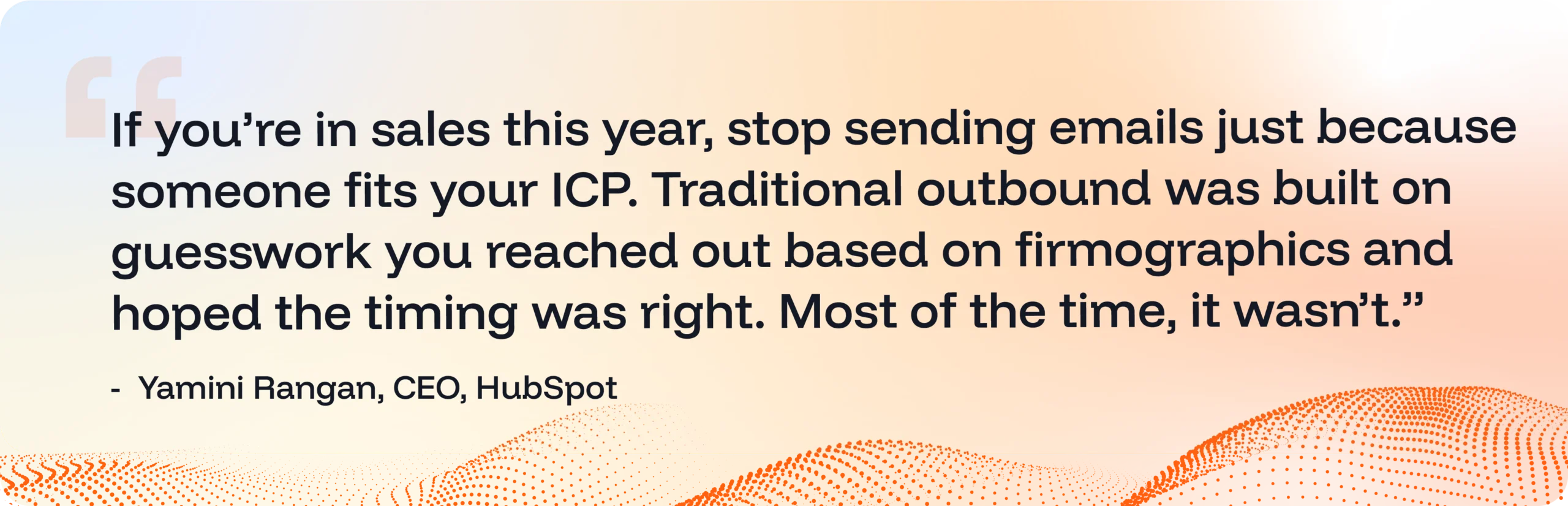
Fit is not a buying signal.
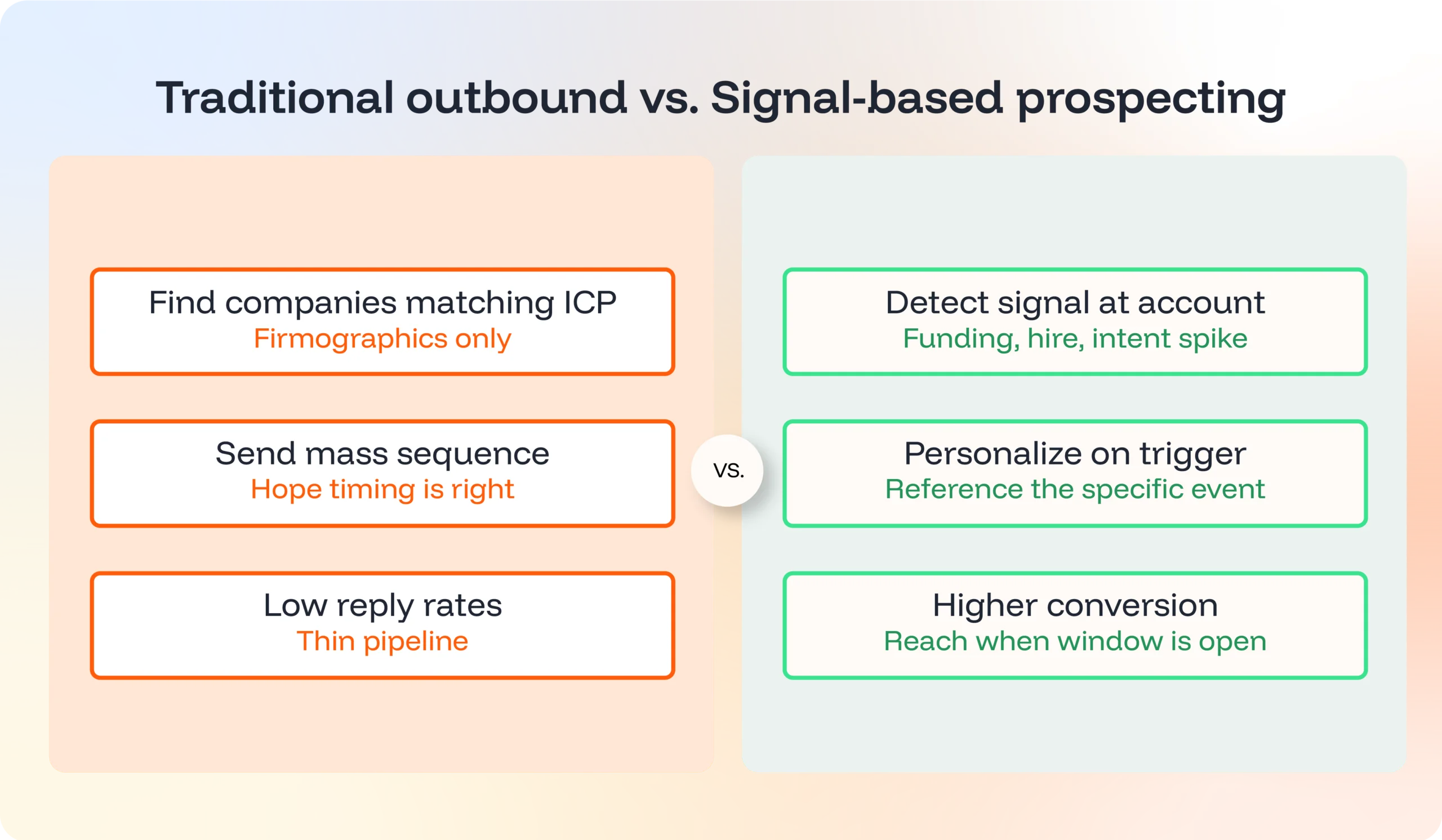
Most outbound still runs on the same logic it did in 2015: this company looks like our customer, so let’s email them. The reps work harder for fewer replies, the inboxes get more crowded, and the pipeline stays thin.
The fix isn’t more volume or another sequence. It’s a different starting point. Reach out when something has actually changed at the account: a new exec, a funding round, a competitor stumble, a hiring surge. That’s a signal. That’s when a buying window opens.
That’s signal-based prospecting. And it’s how the best teams are building pipeline now.
What is signal-based prospecting?
Signal-based prospecting uses real-world events, changes at the company or contact level, as the trigger for outreach. The logic is simple: people buy when something changes. New leadership creates re-evaluation. New funding unlocks budget. A champion at a new company brings vendor preferences with them. Your job is to show up at the moment these signals appear, with a message tied to it.
The idea isn’t new. Good reps have always done their homework before a call. What’s changed is the volume of available signals and the tools that surface them automatically.
The teams winning today don’t have better reps. They have better priorities, fed by signals their reps don’t have to dig for.
The four signal types that actually drive pipeline
Not every signal is worth acting on. Some indicate mild curiosity. Some indicate active buying. Build your workflow around the ones that consistently predict deals.
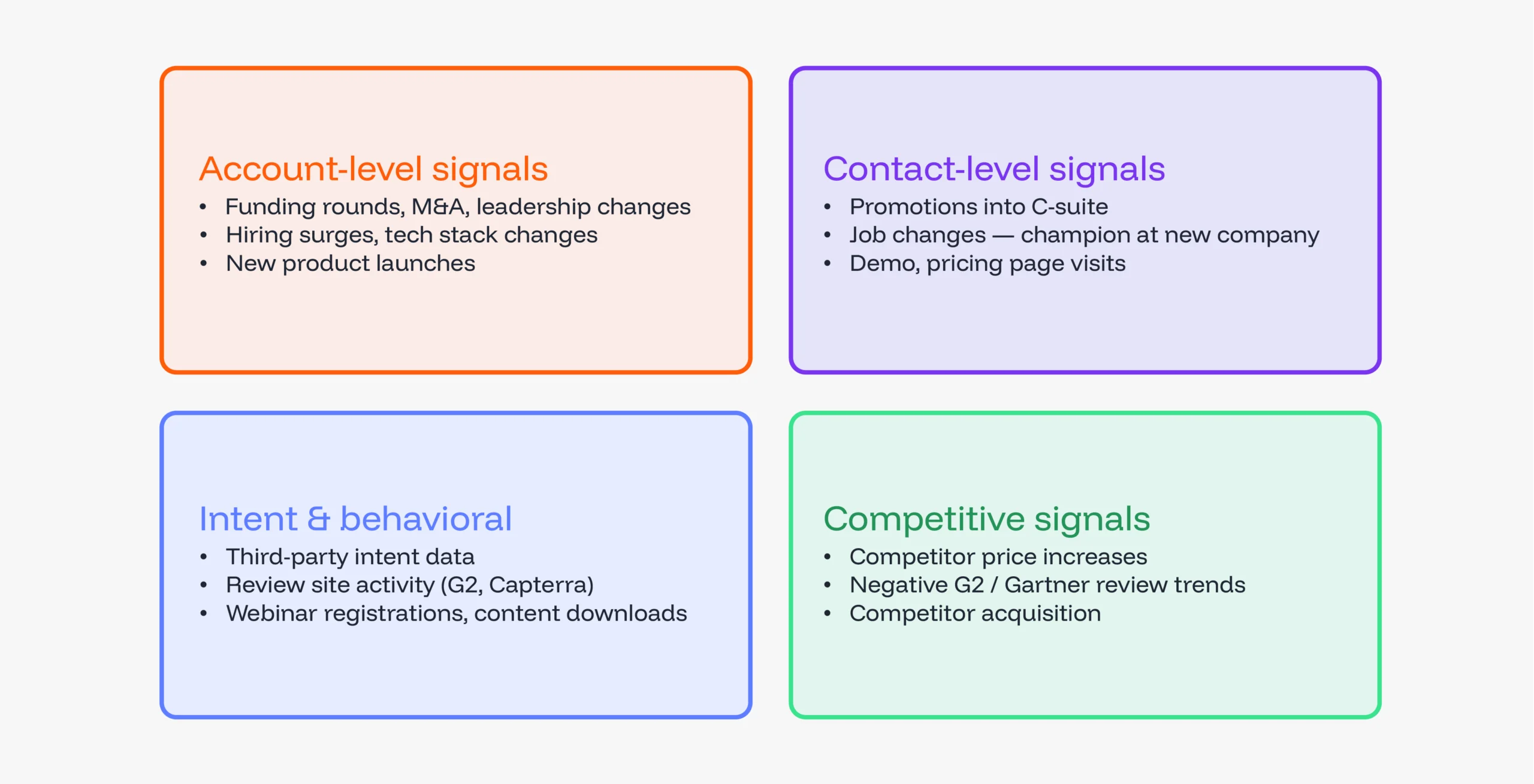
1. Account-level signals
Changes at the org level that shift priorities, budget, or needs.
- Funding rounds (Series A/B/C, IPO, PE investment)
- M&A activity
- Leadership changes, especially CRO, VP Sales, CMO, CFO
- Hiring surges in a specific function
- Tech stack changes
- New product launches or market expansion
2. Contact-level signals
Movement at the individual level, who, and when.
- Promotions, especially into the C-suite
- Job changes, a known champion at a new company is one of the highest-converting signals there is
- Visits to your demo, pricing or product pages
- Engagement on content tied to your problem space
3. Intent and behavioral signals
What prospects are researching, often before they’ve ever touched your brand.
- Third-party intent data (high content consumption in your category)
- Review site activity on G2, Capterra, TrustRadius
- Webinar registrations, content downloads, demo requests
4. Competitive signals
The signals your competitors send on your behalf.
- Price increase or product gap announcements
- Negative review trends on G2 or Gartner
- A competitor getting acquired, their customers go shopping
How to prioritize: not every signal deserves the same urgency
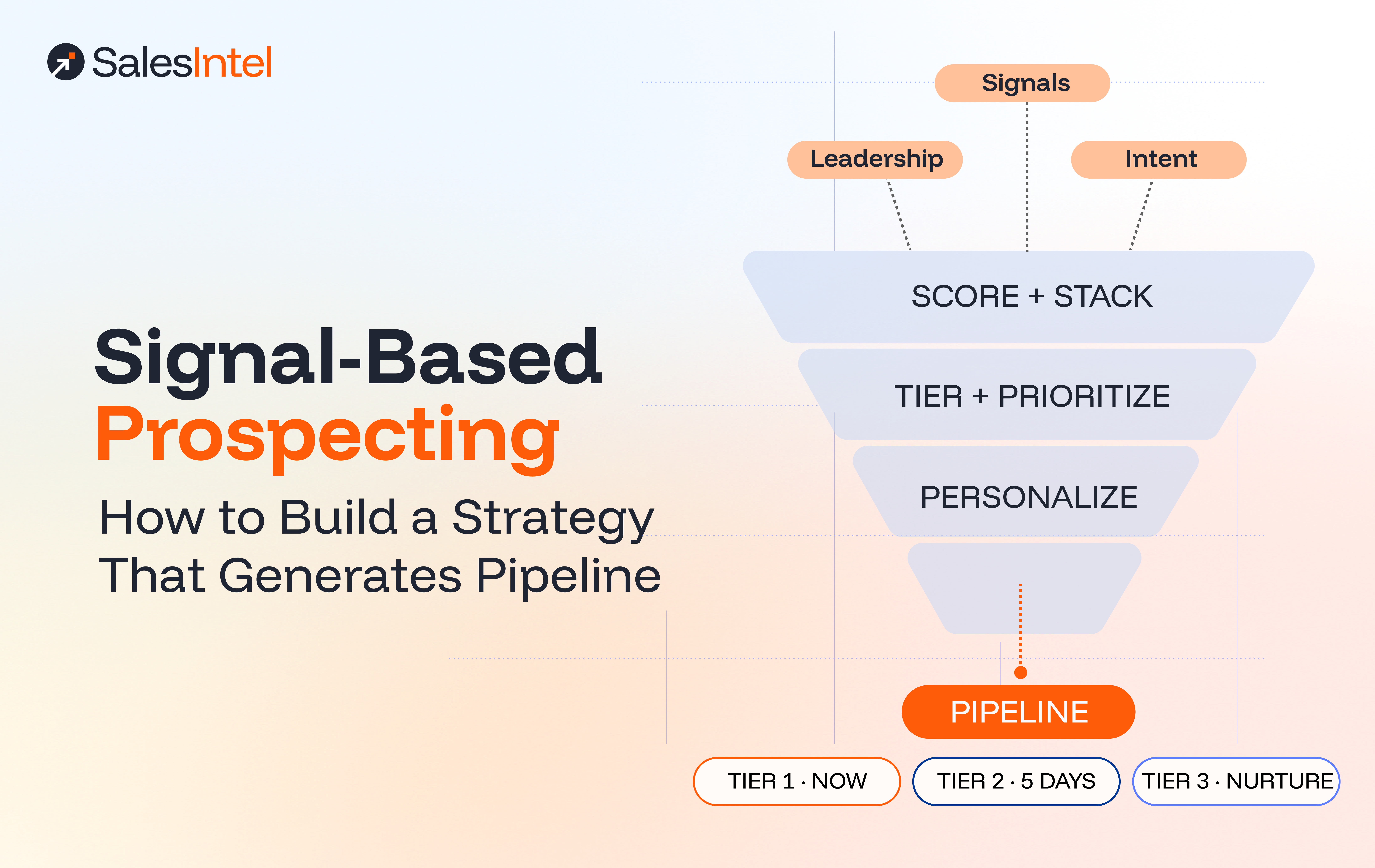
A single funding round is interesting. A funding round, plus a new VP of Sales, plus an intent spike on your category, that’s a deal trying to happen. Signals stacking drastically reduces false positives.
The biggest mistake teams make: treating every signal as Tier 1. Reps drown, prioritization collapses, and nothing gets the attention it deserves.
Here’s a simple triage model:
| Tier | Signal combination | Action | Window |
|---|---|---|---|
| Tier 1 — Act today | Stacked Signals (e.g., funding + leadership change + intent spike) | Personalized, multi-channel: email + LinkedIn + phone + targeted ads | Within 24 hours |
| Tier 2 — Act this week | One strong signal (new CRO, funding round) with good ICP fit | Personalized email sequence with relevant proof + targeted ads | Within 3–5 days |
| Tier 3 — Nurture | Intent spike alone, or relevant job posting | Targeted nurture; monitor for escalation + display ads | Within 2 weeks |
| Watch list | Weaker signal (social mention, single content download) | CRM tag, alert for additional triggers | Monitor monthly |
The point isn’t the exact thresholds. It’s to stop reps from treating every signal the same. Stacked signals get prioritized. Single signals get queued up to stay top of mind.
The four-step workflow

Step 1: Map signals to your value prop
Not every signal matters to every business. A data enrichment vendor cares about different triggers than an ERP. Start by asking your best customers one question:
“What was happening at your company when you first started evaluating us?”
Their answers are your signal map. Don’t borrow someone else’s.
Step 2: Centralize your sources
The biggest productivity killer in signal-based prospecting is fragmentation. If your reps are toggling between LinkedIn, news aggregators, funding trackers, intent platforms, and your CRM every morning, you’ve replaced one research problem with five.
Pick one platform that aggregates the signals you care about, intent data, firmographic updates, leadership changes, technographics, and pipe everything into your CRM. The goal is one place to look in the morning, not five.
This is exactly what SalesIntel does: buyer intent (PredictiveIntent + Bombora), real-time company data, technographics, and human-verified contacts in one feed, flowing into Salesforce, HubSpot, and Outreach.
Step 3: Stack and score
Single signals are interesting. Stacked signals are actionable.
- Funding alone → watch and/or queue up for display ads
- Funding + new VP of Sales → warm outreach
- Funding + new VP of Sales + intent spike on your category → Tier 1 today
Configure your CRM to alert reps automatically when an account crosses a stacked-signal threshold. Don’t make prioritization a manual task. Reps should be having conversations, not running queries.
Step 4: Personalize on the trigger
Signal-based outreach converts because it’s relevant, not just well-timed. Reference the specific event in your outreach.
Compare:
❌ Generic: “Hi [Name], I help companies like yours improve sales data quality. Got 15 minutes?”
✅ Signal-based: “Congrats on the Series B. Scaling a sales team usually exposes data gaps in the CRM. We’ve helped [company name] at your stage close that gap before it cost them a quarter. Worth a call?”
The second one works because it does three things: names the trigger, ties it to a specific pain, points to a specific outcome.
The signal-to-message playbook
Map your most common triggers to outreach angles. Keep it tight, three sentences in the email, with the trigger named in the first.
| Signal | What it usually means | Angle | Hook |
|---|---|---|---|
| Series A/B funding | Scaling fast, new budget, hiring | Speed creates gaps | “Congrats on the raise, growth at this pace usually exposes [pain]. Here’s how we’ve helped similar-stage teams.” |
| New CRO or VP Sales | Leadership re-evaluating vendors | First 90 days = stack review | “Most new CROs re-evaluate the sales stack in their first 90 days. Worth a conversation while you’re in that mode?” |
| Competitor switching signal | Dissatisfaction with current vendor | Offer a safe harbor | “We’ve had a few [Competitor] customers reach out after [issue]. Happy to walk you through what a transition looks like.” |
| High intent score | Active research in your category | Validate, accelerate | “Our data shows [Company] has been researching [category] heavily. We probably have a few resources that can shortcut the evaluation.” |
| Champion job change | Warm path into a new account | Use the existing relationship | “Congrats on the new role. Given how [outcome] went at [previous company], figured [new company] might be hitting a similar challenge.” |
| Hiring surge in a key function | Growth initiative underway | Align your solution to the initiative | “Noticed you’re aggressively hiring [function]. Teams scaling this fast tend to hit [pain] within a quarter, worth a call?” |
Four mistakes that kill signal-based programs
1. Treating signals as permission slips
A funding round isn’t an invitation to send the same sequence with “congrats” tacked on. If your message doesn’t connect the trigger to a specific pain in a specific way, the signal was wasted. Generic outreach with a “congrats” prefix is still generic outreach.
2. Chasing every signal
If your scoring model flags every hiring post and social like as a Tier 1 event, reps will drown. Start with the two or three signals that most consistently precede deals for your business. Expand from there.
3. Ignoring the rest of your TAM
Signals only cover the portion of your market that’s actively showing them. At any given time, plenty of accounts that fit your ICP aren’t lit up, and some of them are still buyers. Use signals to prioritize, not to limit. Run disciplined outreach to the broader ICP alongside the signal-driven motion.
4. Moving too slowly
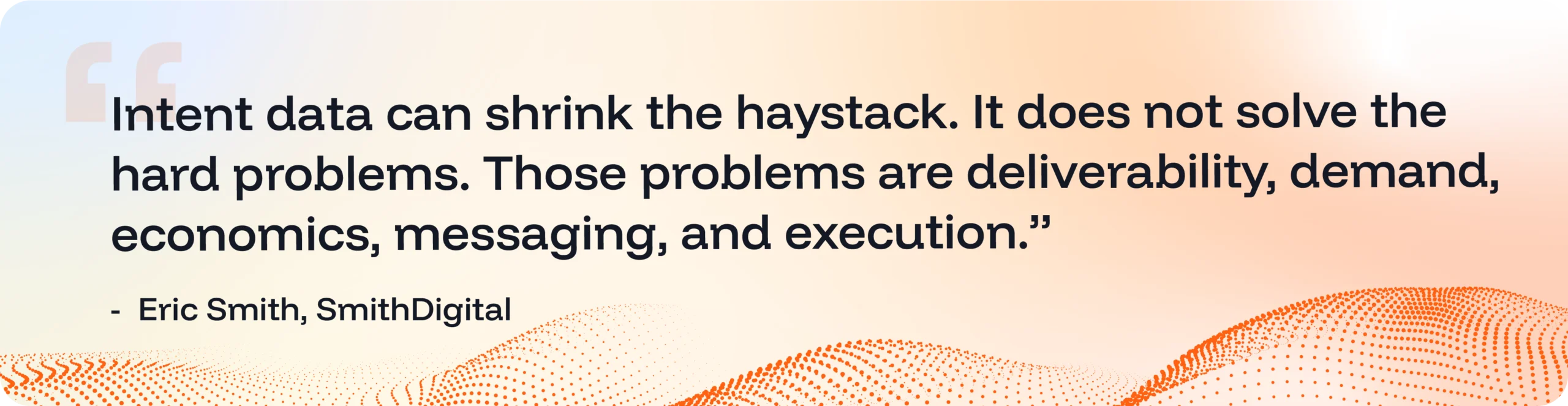
Signal-based prospecting is a timing game. A signal from five days ago is competing with every other vendor who also saw it. If your data is real-time, your workflow has to match. Reps act in hours, not days. If they wait until Monday, this doesn’t work.
Where SalesIntel fits
SalesIntel was built for this motion. Specifically:
- Buyer intent data: PredictiveIntent + Bombora, so you see which accounts are actively researching your category
- Real-time company data: Funding, employee growth, leadership changes, tech stack shifts, monitored continuously
- Human-verified contacts: When a signal fires, you need a direct dial or a verified email, not a bounce
- Technographics: Know what your prospects use, find displacement opportunities
- CRM and sequencer integration: Signals flow into Salesforce, HubSpot, and Outreach, triggering alerts and sequence enrollment based on your scoring
What it doesn’t do: pick the strategy for you.
What it does: give your team one prioritized view of the potential customers, so the time spent prospecting goes to accounts with an actual reason to buy.
A 60-day rollout plan
If you’re starting from zero, work in phases. Don’t try to operationalize fifteen signals at once.
| Phase | Focus | Key actions | Success metric |
|---|---|---|---|
| 1 — Map (Week 1–2) | Identify your top 3–5 buying triggers | Interview customers; audit won deals; define signal-to-value-prop map | Documented signal map |
| 2 — Source (Week 3–4) | Set up monitoring infrastructure | Deploy intent tracking; connect CRM alerts; define scoring | Signals reaching reps within 24 hours of firing |
| 3 — Activate (Week 5–8) | Build the playbooks | Write signal-specific templates; train reps on signal-led personalization | >80% rep adoption; baseline reply rate established |
| 4 — Optimize (Week 9+) | Refine continuously | Track signal-to-opportunity conversion by trigger type; kill what doesn’t convert | % of pipeline sourced from signals; closed-loop feedback |
The takeaway
Signal-based prospecting isn’t a shortcut. It doesn’t replace the fundamentals: strong messaging, disciplined follow-up, real product-market fit. What it does is make sure that when you reach out, there’s a reason. And that reason is visible in the first sentence.
That’s the shift: from volume to relevance. In a world where every inbox is full, relevance is the only currency that earns you a second of attention.
Start small. Pick the two signals that most consistently precede deals for your business. Build one personalized playbook per signal. Measure reply rate and meeting conversion. Expand what works. Kill what doesn’t.
The reps who get good at this don’t just hit quota. They change how prospects perceive them, from another cold email to someone who actually paid attention.
That’s the difference between interruption and relevance. And it’s the foundation of every deal that actually closes.

Frequently Asked Questions
What is signal-based prospecting in B2B sales?
Signal-based prospecting uses real-world events at the company or contact level as the trigger for outreach. Instead of reaching out because an account fits a firmographic profile, reps reach out when something has actually changed: a new executive, a funding round, a competitor stumble, a hiring surge. The underlying logic is simple, people buy when something changes, and signal-based prospecting puts reps at the door the moment that change happens.
How does signal-based prospecting improve pipeline generation?
It replaces volume-based outbound with relevance-based outbound. Traditional prospecting treats timing as a gamble. Signal-based prospecting removes the guesswork by triggering outreach when an account is most likely to be evaluating. The result: higher reply rates, more meetings, and pipeline built on actual buying windows rather than statistical chance. The best teams aren’t winning because they have better reps, they have better priorities, fed by signals their reps don’t have to dig for.
What are the most effective buying signals for outbound sales?
The signals that most consistently drive pipeline fall into four categories. Account-level signals include funding rounds, M&A activity, leadership changes, and hiring surges. Contact-level signals include promotions, job changes (especially a known champion moving to a new company), and visits to demo or pricing pages. Intent and behavioral signals include third-party intent data, review site activity on G2 or Capterra, and webinar or content downloads. Competitive signals include a competitor’s price increase, product gap announcements, or negative review trends that put their customers back in the market.
What is the difference between intent data and buying signals?
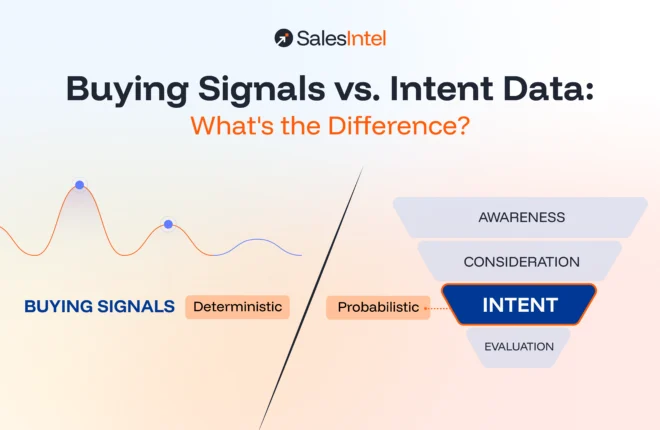
Intent data is one type of buying signal, specifically, behavioral data showing that a prospect is actively researching a problem or category, often before they’ve touched your brand. Buying signals is the broader category, covering all real-world changes that indicate a potential buying window: leadership hires, funding rounds, tech stack changes, champion job moves, competitive disruption. Intent data tells you what someone is thinking about. Buying signals tell you why they might be thinking about it now.
How do sales teams prioritize accounts using buying signals?
The most effective approach is signal stacking, layering multiple signals on a single account to reduce false positives and surface the highest-priority opportunities. A funding round alone is interesting. A funding round plus a new VP of Sales plus an intent spike in your category is a deal trying to happen. A simple tier model works well: Tier 1 accounts (stacked signals) get personalized, multi-channel outreach within 24 hours. Tier 2 (one strong signal with good ICP fit) gets a personalized sequence within 3–5 days. Tier 3 (intent spike alone) goes into nurture. Weaker signals get watchlisted for escalation.
Why is timing important in signal-based selling?
Signal-based prospecting is fundamentally a timing game. A buying window opens when something changes at an account, and it closes fast. Every other vendor with access to the same data saw the same signal. If your workflow doesn’t move in hours, you’re competing with everyone who did. A real-time signal paired with a slow workflow wastes the advantage entirely. Reps who wait until the end of the week are, at best, the fifth call a prospect gets.
What tools are used for signal-based prospecting?
The core stack requires an intent data platform, a real-time company data source tracking funding, leadership changes, and hiring trends, a technographics layer for stack displacement opportunities, and human-verified contact data so reps can actually reach the right person when a signal fires. Everything needs to integrate into the CRM and sequencer so reps get alerts automatically rather than running manual queries. SalesIntel combines buyer intent (PredictiveIntent + Bombora), real-time company data, technographics, and human-verified contacts in a single feed that flows into Salesforce, HubSpot, and Outreach.
How do you build a signal-based prospecting strategy?
Start by mapping signals to your value prop, interview your best customers and ask what was happening at their company when they first started evaluating you. Their answers are your signal map. Then centralize your sources into one platform so reps aren’t toggling between five tools every morning. Configure your CRM to score and stack signals automatically, and set thresholds that trigger rep alerts without manual prioritization. Finally, build a playbook that connects each trigger to a specific message: name the signal in the first sentence, tie it to a specific pain, and point to a specific outcome. Run this for 60 days across your top 3–5 signals before expanding.